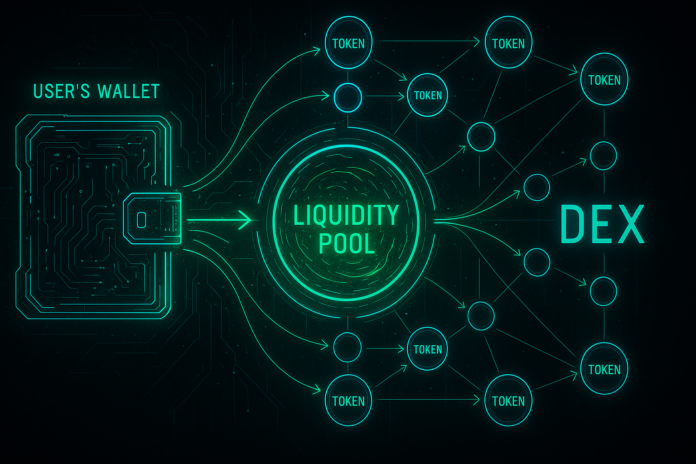
A decentralised exchange (DEX) lets you trade cryptocurrency directly from your wallet — no account, no KYC, no middleman. You own your keys, you control the trade.
This guide walks you through making your first DEX trade on Uniswap, the world’s largest decentralised exchange.
What Is a DEX?
Traditional exchanges (Coinbase, Kraken) hold your crypto while you trade. You trust them with your funds. A DEX works differently: you keep your crypto in your wallet. The exchange is just a smart contract that facilitates the trade.
You trade directly against a liquidity pool — a pile of funds locked in the smart contract. The pool sets prices based on supply and demand. No order book. No counterparty risk.
Before You Start: What You Need
- A wallet (MetaMask, Trust Wallet, or any Ethereum-compatible wallet)
- Some ETH to pay gas fees (even if you’re trading other tokens, you need a bit of ETH)
- The tokens you want to trade (or ETH to buy them first)
Step-by-Step: Trading on Uniswap
Step 1: Go to Uniswap
Navigate to app.uniswap.org (always verify the URL — scam sites exist).
Step 2: Connect Your Wallet
Click the “Connect Wallet” button in the top right. Select your wallet type (MetaMask, Coinbase Wallet, etc.). Your wallet app will prompt you to approve the connection — confirm it.
Your wallet address now appears in the top right. You’re connected.
Step 3: Select Your Tokens
You’ll see two input fields: “You send” and “You receive.”
Click “You send” and select the token you want to trade away (e.g., ETH, USDC, DAI).
Enter the amount.
Click “You receive” and select the token you want to get (e.g., WETH, OP, ARB).
The amount you’ll receive appears automatically — Uniswap calculates it based on the current pool price.
Step 4: Review the Price
Before confirming, check:
- Price impact: How much the price moves due to your trade. Under 1% is ideal. Over 5% means the pool is small or illiquid.
- Gas fee: The cost in ETH to execute the trade on-chain. This varies — gas is cheapest during off-peak hours (weekends, 3–5am UTC).
- Slippage: The acceptable price difference between now and when your transaction confirms. Default is 0.5%. Higher slippage = more protection against sudden price swings, but worse execution.
Step 5: Confirm and Sign
Click “Swap.” Your wallet will show a transaction approval screen. Review the details and click “Confirm.”
The transaction broadcasts to the blockchain. You’ll see a pending status in Uniswap. Wait 30 seconds to a few minutes for confirmation (depending on network congestion).
Once confirmed, your new tokens appear in your wallet. Trade complete.
Common Mistakes (Avoid These)
- ❌ Phishing sites: Always check the URL. Scammers create fake Uniswap sites. Bookmark the real one or use official links only.
- ❌ Slippage set too low: If slippage is 0.1% and price moves 0.2%, your transaction fails and you waste gas fees. Start with 1% for safety.
- ❌ Token scams: Not all tokens on Uniswap are real. Verify before trading (check contract address, social media, etc.).
- ❌ Trading during high gas: Gas fees spike during market volatility. Small trades can become unprofitable. Wait for a calmer time if possible.
- ❌ Forgetting gas fees: You need ETH to pay gas, even if you’re not trading ETH. Don’t spend all your ETH — keep some for fees.
Why Use a DEX?
- ✅ Self-custody: Your funds never leave your wallet
- ✅ No KYC: Trade instantly without verification
- ✅ Censorship-resistant: No one can freeze your account or block your trades
- ✅ Lower fees: Often cheaper than centralised exchanges
The trade-off: you’re responsible for not making mistakes. There’s no customer support to reverse a bad trade.
Ready to dive deeper into DeFi? Read our guide on What Is DeFi. Follow @tsnmediahub for daily crypto signals.