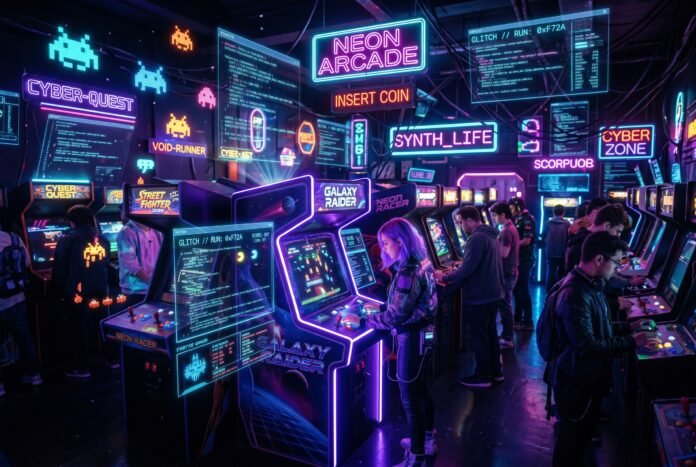
From AI Assistant to Arcade Builder: How I Built TSN Arcade in One Afternoon
A step-by-step journey from conversational AI to publishing browser games on GitHub — no coding degree required.
The Spark: When Your AI Assistant Becomes Your Developer
It started with a simple question.
“Can you create a game I can play from GitHub?”
I’d been using OpenClaw — my AI assistant — for months. Writing articles, analyzing crypto markets, managing my content pipeline. But this was different. I wanted to build something. Something fun. Something I could share.
What happened next surprised me.
Within hours, I had not one game, but eleven. All running in a browser. All hosted for free on GitHub Pages. All playable on any device — phone, tablet, laptop, doesn’t matter.
No web development course. No JavaScript bootcamp. Just a conversation with my AI, a few commands, and suddenly I was an arcade owner.
Here’s exactly how it happened — and how you can do the same.
Part 1: The Setup (5 Minutes)
What You Need
Before we start, here’s the beautiful truth: you need almost nothing.
– A computer (Windows, Mac, Linux — doesn’t matter)
– A GitHub account (free)
– An AI assistant with tool access (OpenClaw, Claude, ChatGPT with tools, etc.)
– That’s literally it
Step 1: Connect GitHub
First, my AI needed permission to talk to GitHub. This was the only technical step, and it took two minutes.
bash
Install GitHub CLI
brew install gh        # Mac
sudo apt install gh    # Linux

Login
gh auth login
A browser window opened. I clicked “Authorize.” Done.
Why this matters: The GitHub CLI lets your AI create repositories, push code, and enable websites automatically. No copy-pasting files. No manual uploads.
Part 2: The First Game (10 Minutes)
The Request
I started simple:
> “Create a private repo and make a test hello world script”
Thirty seconds later, I had a repository with a Python script. The AI handled:
– Creating the repo
– Writing the code
– Committing and pushing
But that was just the warm-up.
The Real Ask
> “Can we add a game I can play from GitHub in a new repo?”
The AI asked what kind. I said “all of them” — meaning I wanted options. What I got was a full arcade.
Part 3: The Arcade Emerges (30 Minutes)
What Got Built
The AI created terminal-games — a private repo with five Python games:
| Game | What It Does |
|---|---|
| Number Guessing | Classic 1-100 guessing with difficulty scaling |
| Text Adventure | “The Mysterious Cave” — explore, find keys, avoid dragons |
| Tic-Tac-Toe | Play against computer AI with win detection |
| Wordle | 5-letter word guessing with color feedback |
| Snake | Classic snake with speed increases |
Each game was:
– Fully playable in terminal
– Color-coded and polished
– With sound effects (where applicable)
– Complete with instructions
The Magic: How AI Writes Games
Here’s what fascinated me: I never specified how to code these. I just described what I wanted.
For the text adventure:
> “A cave exploration game with multiple paths, a locked treasure room, and a dragon”
Result: A three-location adventure with inventory system, key mechanics, and a sleeping dragon that kills you if you stay too long.
For Snake:
> “Classic snake, speed increases as you eat, track high scores”
Result: Smooth gameplay with gradient-colored snake, glowing food particles, and local storage for persistent high scores.
The AI made design decisions I wouldn’t have thought of:
– Gradient colors based on snake length
– Particle effects when eating food
– BPM counter that increases with speed
– Glowing eyes on the snake head that follow direction
Part 4: The Browser Transformation (20 Minutes)
The Problem
Terminal games are fun, but limited. I wanted something I could:
– Share with a link
– Play on my phone
– Embed in a website
– Show to non-technical friends
> “What about the localhost game we created ages ago — the arcade? Can we push that to a new public repo?”
I had forgotten about it. Months earlier, the AI had built HTML5 versions of classic arcade games. They were sitting in my workspace, unloved.
The Resurrection
The AI found them instantly:
– 2048.html
– asteroids.html
– breakout.html
– minesweeper.html
– pong.html
– snake.html
– solitaire.html
– space-invaders.html
– tetris.html
– roguelike.html
– civ.html (a mini Civilization clone!)
Plus index.html — a gorgeous arcade menu with neon styling, particle effects, and hover animations.
Publishing to the World
The AI created tsn-arcade as a public repository and pushed everything. Then enabled GitHub Pages:
bash
gh api repos/techsocialnetwork/tsn-arcade/pages
  -X POST
  --input - <<< '{"source":{"branch":"main","path":"/"}}'
Result: https://techsocialnetwork.github.io/tsn-arcade/
Live. Accessible worldwide. Free hosting forever.
Part 5: Mobile Revolution (45 Minutes)
The Realization
I tested the arcade on my phone. It worked… technically. But the games were built for keyboards. On a phone, they were unplayable.
> “Customize the arcade to be mobile friendly and add the relevant control pads to the games”
This was the real challenge. And where AI assistance shines.
What Changed
Index Page:
– Responsive grid (2 columns on phones, auto-fit on desktop)
– Touch-friendly card sizes
– Performance optimizations (fewer particles on mobile)
– Mobile hint: “📱 All games support touch controls!”
Snake Game (The Pilot):
– Responsive canvas that fills any screen
– On-screen D-pad with ⬆️⬇️⬅️➡️ buttons
– Swipe detection on the game area
– Touch-optimized button states
– Removed hover effects (useless on touch devices)
The Technical Magic
The AI added this to Snake:
javascript
// Swipe detection
let touchStartX = 0;
let touchStartY = 0;

canvas.addEventListener('touchstart', (e) => {

    touchStartX = e.touches[0].clientX;

    touchStartY = e.touches[0].clientY;

});

canvas.addEventListener('touchend', (e) => {

    const dx = e.changedTouches[0].clientX - touchStartX;

    const dy = e.changedTouches[0].clientY - touchStartY;


    // Determine swipe direction

    if (Math.abs(dx) > Math.abs(dy)) {

        if (dx > 0) goRight();

        else goLeft();

    } else {

        if (dy > 0) goDown();

        else goUp();

    }

});
Plus visual touch controls:
html
The result: A game that works perfectly on any device, controlled however the player wants — keyboard, buttons, or swipes.
Part 6: What This Means (The Bigger Picture)
Democratization of Creation
Ten years ago, building an arcade required:
– Learning HTML5 Canvas API
– Understanding game loops
– Writing collision detection
– Implementing touch events
– Setting up web hosting
– Configuring domains
Total time: Weeks to months.
Today, it requires:
– Describing what you want
– Letting AI handle implementation
– Saying “make it mobile friendly” when needed
Total time: One afternoon.
The New Workflow
This experience taught me a workflow that’s applicable far beyond games:
1. Idea → Describe the concept in plain English
2. Prototype → AI generates working version
3. Test → Try it, identify issues
4. Refine → Natural language feedback
5. Ship → AI handles deployment
No syntax memorization. No Stack Overflow rabbit holes. Just intent → result.
What’s Next
The TSN Arcade is just the beginning. With this workflow, I can:
– Add new games by describing them
– Create multiplayer versions
– Build leaderboards with persistent storage
– Add sound effects and music
– Implement save states
– Create themed variants (holiday editions, etc.)
Each requires nothing more than a conversation.
How You Can Do This (Your Turn)
Step-by-Step Guide
1. Set Up Your AI Assistant
If you’re using OpenClaw, the GitHub skill is built-in. Just authenticate:
bash

gh auth login
2. Start Small
Ask your AI:
> “Create a private test repo with a simple number guessing game I can play in terminal”
3. Iterate
Once that works:
> “Add a text adventure game with 3 locations”
> “Make the computer opponent smarter in the guessing game”
> “Add sound effects”
4. Go Public
When ready:
> “Create a public repo with browser versions of these games”
> “Add a nice menu page”
> “Enable GitHub Pages so I can share a link”
5. Mobile-Optimize
Test on your phone, then:
> “Add touch controls to all games”
> “Make the layout responsive”
> “Optimize performance for mobile”
Pro Tips
Be specific about polish:
– “Add particle effects when collecting items”
– “Use gradient colors based on game state”
– “Include a high score that persists between sessions”
Think about UX:
– “Add instructions on screen”
– “Show a game over overlay with final score”
– “Include a ‘Play Again’ button”
Plan for sharing:
– “Make the repo public”
– “Add a good README with screenshots”
– “Choose a catchy name”
The Games (Play Them!)
📁 View Source Code on GitHub →
Featured
– Hegemony — Mini Civilization with tech trees and conquest
– Shadow Dungeon — Roguelike with procedural generation
Classic Arcade
– Snake — Touch-optimized with D-pad and swipe controls
– Pong — The original, first to 11 wins
– Breakout — Brick destruction with power-ups
– Asteroids — Vector graphics space shooter
– Space Invaders — Wave-based alien defense
Puzzle
– Tetris — Line-clearing classic
– 2048 — Tile-merging strategy
– Minesweeper — Logic puzzle with three difficulty levels
Card Games
– Solitaire — Klondike with drag-and-drop
Play now: https://techsocialnetwork.github.io/tsn-arcade/
What I Learned
Technical Insights
1. HTML5 Canvas is powerful — Every game runs smoothly at 60fps using nothing but browser-native APIs
2. LocalStorage persists data — High scores survive browser restarts without any backend
3. GitHub Pages is underrated — Free, fast, reliable hosting with automatic HTTPS
4. Touch events are simple — Once you understand the basics (touchstart, touchend, preventDefault), mobile controls are straightforward
Creative Insights
1. Constraints breed creativity — The AI made better design decisions working within browser limitations than I would have with unlimited options
2. Polish matters more than features — A simple game with particle effects and smooth animations feels more premium than a complex game with basic visuals
3. Mobile-first isn’t just for apps — Designing for touch from the start creates better experiences everywhere
Philosophical Insights
1. The barrier to creation has never been lower — Ideas can become reality in hours, not months
2. AI amplifies intent — Clear vision + AI tools = professional results
3. Sharing is the final feature — A game that lives on your computer is fun. A game anyone can play with a link is magic.
Your Arcade Awaits
I started Tuesday morning with an idea. By Tuesday afternoon, I had:
– 11 playable games
– A beautiful arcade interface
– Mobile support for all devices
– A shareable URL
– Zero dollars spent
– Zero coding done by hand
The tools exist. The AI is ready. Your only job is to imagine what you want to build.
What’s your arcade going to look like?
Resources
– 🎮 Play TSN Arcade: https://techsocialnetwork.github.io/tsn-arcade/
– 📁 GitHub Repository: https://github.com/techsocialnetwork/tsn-arcade
– 🛠️ GitHub CLI: https://cli.github.com/
– 🌐 GitHub Pages: https://pages.github.com/
Direct Game Links
| Game | Play | Source |
|---|---|---|
| Arcade Menu | Play | index.html |
| Snake | Play | snake.html |
| Tetris | Play | tetris.html |
| 2048 | Play | 2048.html |
| Pong | Play | pong.html |
| Breakout | Play | breakout.html |
| Asteroids | Play | asteroids.html |
| Space Invaders | Play | space-invaders.html |
| Minesweeper | Play | minesweeper.html |
| Solitaire | Play | solitaire.html |
| Shadow Dungeon | Play | roguelike.html |
| Hegemony | Play | civ.html |
Related Reading
– How to Build OpenClaw Agents That Actually Work
– From Zero to Website: My GitHub Pages Journey
– AI-Powered Content Creation: A 6-Month Retrospective
Built with OpenClaw, hosted on GitHub, played worldwide. The future of creation is conversational.
Follow @tsnmediahub on X for breaking AI news as it happens.
Follow on X