
Introduction to Flux and Neurai
Flux is a pioneering force in the Web 3.0 landscape, embodying the ethos of decentralization and empowerment for individuals. It operates a robust, decentralized cloud, supported by over 12,000 nodes worldwide, offering substantial computational resources. This guide will navigate you through deploying Neurai Fullnode or a Neurai-ElectrumX server via the Flux Marketplace.
Neurai leverages AI and blockchain technology for data analytics and IoT device connectivity. This guide is your step-by-step companion to utilizing these powerful tools.
Getting Started with Flux and Neurai
Before diving into the deployment process, ensure you have a ZelID account, available through Zelcore (https://zelcore.io/). Remember to enable d2FA for added security.
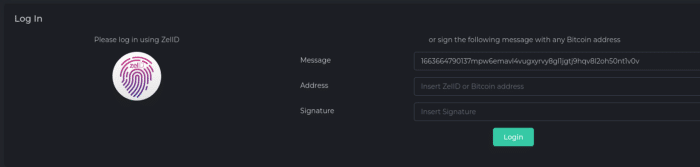
Steps to Authenticate and Deploy on Flux Marketplace
- Authenticate with ZelID:
- Visit https://home.runonflux.io/ and log in with your ZelID.
- If you don’t have a ZelID, download and install the Zelcore app and enable d2FA.
- Selecting Your Neurai Application:
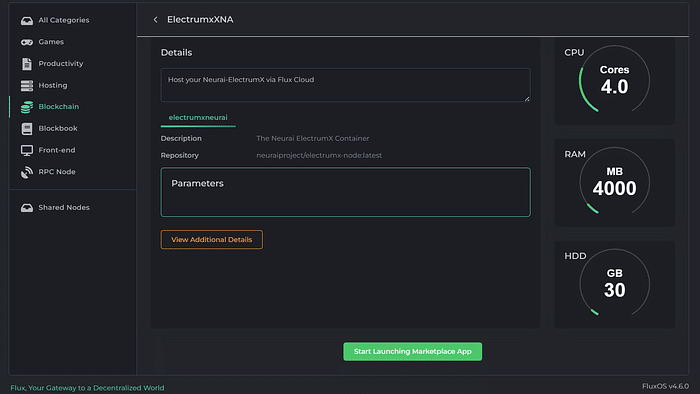
- Go to https://home.runonflux.io/apps/marketplace.
- Choose either NeuraiNode or ElectrumxXNA Application under the ‘Blockchain’ category.
- Launching Your Application:
- Click on “Start Launching Marketplace App.”
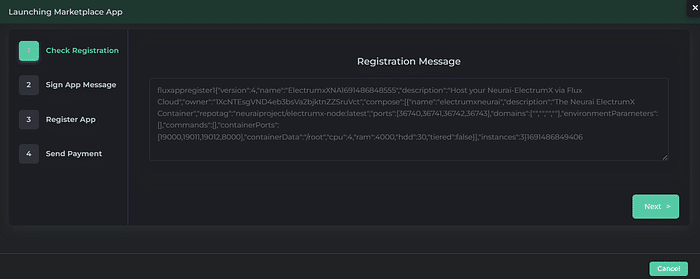
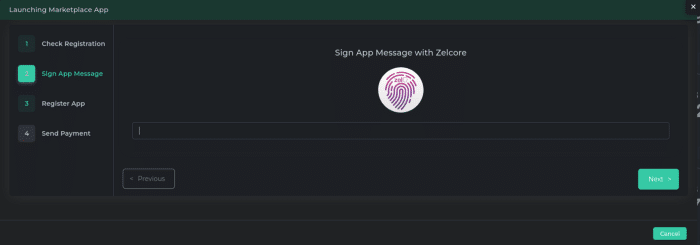
- Follow the instructions, including signing with your ZelID, and then click “Next.”
- Review the monthly cost and click “Register Flux App.”
- Completing Payment:
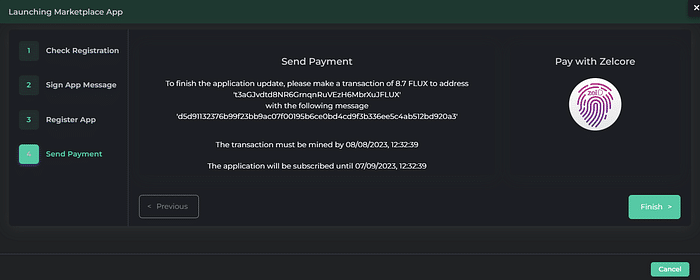
- You will receive payment details in FLUX.
- Choose “Pay with Zelcore” to complete the transaction.
- Finalizing Deployment:
- Wait approximately 10–30 minutes for your Neurai infrastructure to be activated.
Managing Your Neurai Infrastructure
Once logged in with your ZelID:
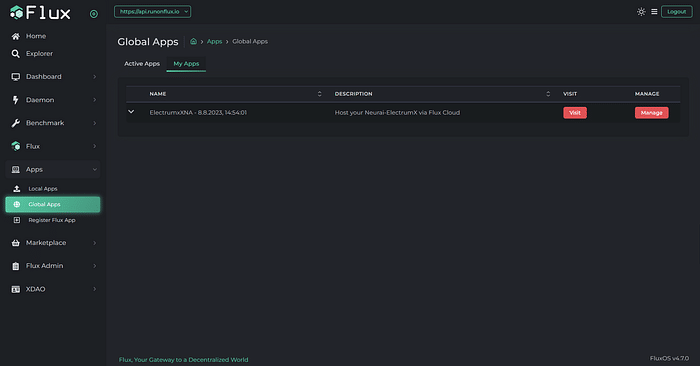
- Navigate to “Global Apps” and then “My Apps” to manage and view your Neurai deployments.
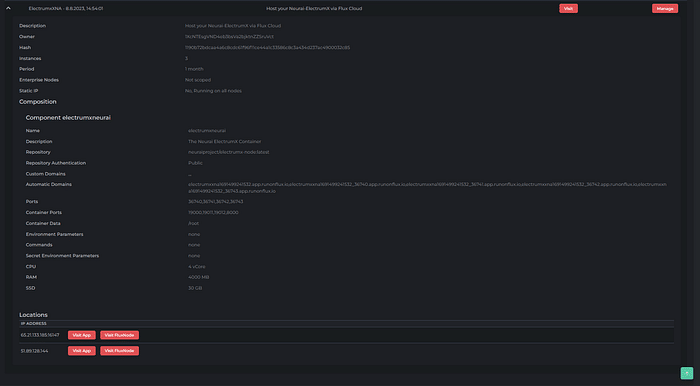
- Utilize the “Automatic Domains” generated by the Flux-Domain-Manager for your deployments.
- Access http and https endpoints listed to interact with your Neurai-ElectrumX servers.
Port Usage for Full Node and Electrumx
- Full Node: Port 36735 for RPC.
- Electrumx: Ports 36741 (No-SSL), 36742 (SSL), and 36743 (RPC).
Monitoring and Renewing Your Deployment
- Check the logs of your Node to ensure proper syncing.
- Your subscription is initially for 22,000 Flux blocks (~1 month). Remember to renew it to avoid network disconnection.
- To renew, log in with your ZelID, navigate to “Manage App” under “My Apps,” and follow the instructions for payment.
Conclusion and Additional Resources
Deploying Neurai on the Flux Marketplace is a straightforward process that brings you to the forefront of decentralized, AI-powered blockchain technology. For more information and to deepen your understanding, visit the official websites:
- Flux: www.runonflux.io
- Neurai: https://neurai.org/
Embark on this journey to contribute to and benefit from the innovative realms of Flux and Neurai.