

A chatbot can only talk. An agent such as Grok Bot, the desktop and mobile agent product, which is separate from the Grok chatbot, can do work inside your apps, but only in the apps you connect to it. A viral post this week put the number of ready-made connections at 110. TSN could not confirm that number. Here is what the official documentation does say, what we see in our own setup, and how to keep it safe.
Spotted via @1920web1080 on X
What a connector is

A connector (also called a plugin) is a pre-built link between Grok Bot and one service, such as email or a code host. SpaceXAI’s documentation says connectors “give a Bot a structured way to work with supported services” and are “installed as plugins from Marketplace” [3]. Without a connector, the Bot can still use a website in its browser, though the docs call a connector “often more reliable” [3].
Browse the plugin list, choose Add, and finish the sign-in in your browser. That sign-in is normally OAuth, the standard “sign in with” screen where the service, not Grok Bot, checks your password and asks what you are allowing [4]. Then you type @ in chat to bring the connector into a task [3]. Installed connectors are account-wide, so every Bot on your account can use them [3].
The key safety rule is in Cursor’s help page for Grok Bot: a plugin “can do only what that account can already do in that service. It cannot raise your access, and it cannot change sharing” [4]. Grok Bot signs in through Cursor accounts, so some help pages sit on Cursor’s site and some on SpaceXAI’s [5][8].
If a service is missing, you can add a custom MCP server. MCP, the Model Context Protocol, is an open standard for plugging tools into AI assistants; TSN explains it in MCP Explained and shows one in Talk to the Cloud. SpaceXAI’s Team Bots page lists custom servers that are reached over HTTPS or started as a command on the Bot’s computer [6]. For the Grok chatbot’s version of the same idea, its docs say the server must be reachable over the public internet [7].
What the post claims, and what we could and could not confirm
The post by @1920web1080, published 9 October 2026 at 17:10 UTC (18:10 BST), reads: “Grok Bot comes with 110 connectors out of the box. Nothing to build. 88 are official, made by the xAI team. 22 more work through custom MCP.” It names Gmail, Drive, Slack, Notion, GitHub and finance tools, and adds “no setup files” and “no weekend lost to OAuth” [1]. It quotes an X Article by @unicodef1wn, “AI Company-in-a-Box: Full 12-Step Roadmap to Build a Self-Managing Company with Grok Bot + Jev” [2]. We did not find the 110, 88 or 22 figures in that article’s text, and TSN did not review the video the post points to.
Poster claim, unverified. We found no official page that gives a total. The SpaceXAI docs describe a catalog without counting it [7]. They also don’t say which connectors were “made by the xAI team”, and the Marketplace page lists Bots and plugins from many named creators [9]. Unofficial counts vary: one GitHub list counted 219 plugin listings on 12 August [10], and another third-party site says 342 and calls its own list “a checkable snapshot, not an xAI inventory” [11]. We did not contradict 110 either. Treat all three numbers as unconfirmed.
What the docs do support: Gmail, Notion, Slack and GitHub are named as connectable services [4][7], and sign-in is a one-time browser step [3]. “No setup files” fits that, but custom MCP servers need setup of their own.
What it connects to, service by service
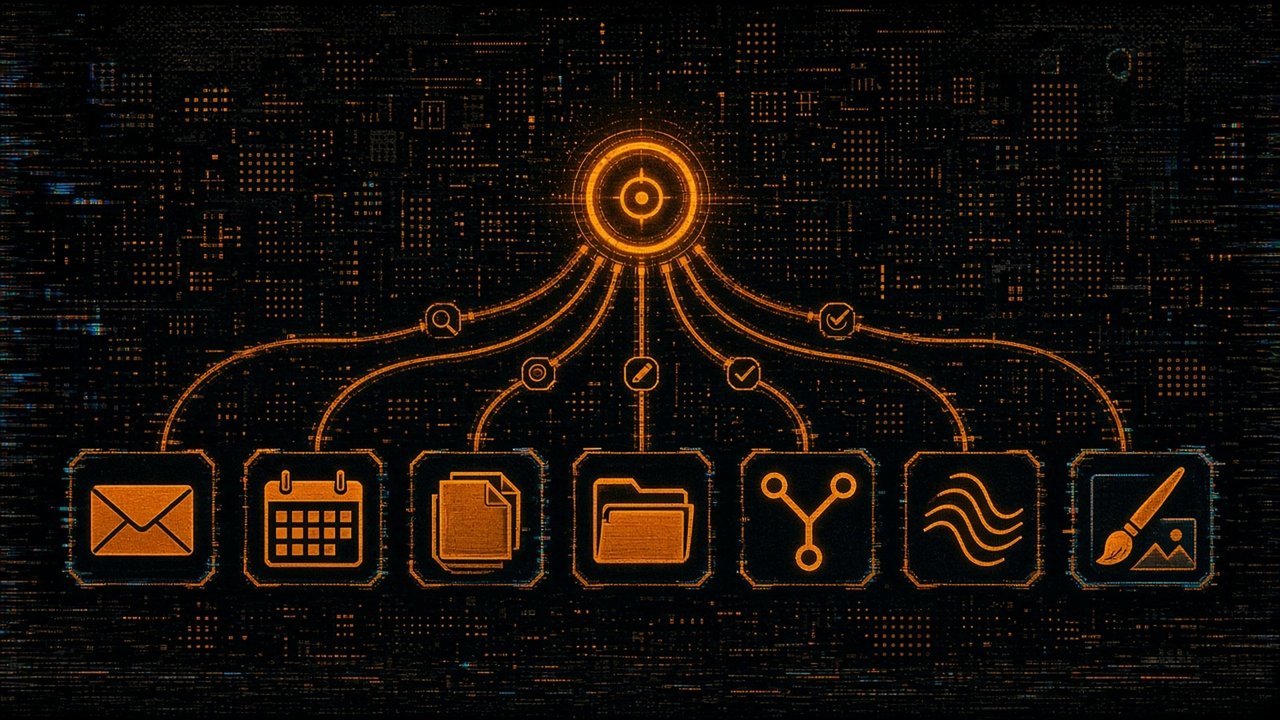
In TSN’s own Grok Bot setup (first-hand observation, 10 October 2026; we did not test every feature), these services are connected:
- Notion: search and read pages, create and update pages, query databases, and add comments.
- Gmail: search and read threads, write drafts, apply labels, and send or reply. SpaceXAI’s help page says the same list: search and read, draft and send, and apply labels [4]. Our own rule is that anything sent in Richard’s name arrives as a draft he presses Send on.
- Google Drive: search, read, create, edit, move, comment on, share and export files. The official help says Drive can search and read files the account can open [4].
- Google Calendar: list, create, update and delete events, suggest meeting times, and answer invites. Cursor’s help says it can read calendars you can see and change events on calendars you can edit [4].
- GitHub (and a source-control host): read repositories, issues, pull requests, files and test runs; create branches, issues and pull requests; and review code.
- X: read-only public data, meaning posts, accounts, search, trends and news; it cannot post as Richard. The official docs describe the same: public reading “doesn’t sign in as you”, and your DMs or home timeline need the X plugin [3].
- Buffer: list channels, create, edit and delete scheduled posts, and read post metrics. TSN schedules X posts here. Postiz, an earlier scheduler, is being phased out.
- Runway: generate images, video and audio.
Documented elsewhere: Slack posts as the user who connected it, only where that user can post [4]; Salesforce, Microsoft Teams, SharePoint, OneDrive and Outlook are built-in connectors for the Grok chatbot [7].
How to connect safely

SpaceXAI’s own guidance maps to five habits [5]:
- Connect only what the job needs.
- Start read-only. Begin with search and draft tasks. Use “scoped service accounts”, meaning a separate login with limited rights, where the service allows.
- Keep consequential actions behind approval. The docs list sending messages or invitations, publishing, purchases, deleting or overwriting data, permission changes and production changes. They add that an approval “does not reverse work already completed” [5].
- Add “ask first” rules. Auto-review, a setting that checks risky actions, lets you add narrow rules such as “Ask first before sending any external email” [5].
- Remember the shared computer. All your Bots share one cloud computer and its logins, so the docs say not to treat separate Bots as a security boundary [5].
Prompt injection is the risk to name. It means hidden instructions inside content the AI reads, such as a web page or a file, which then change what it does. OWASP, an application-security body, says it is “unclear if there are fool-proof methods of prevention”, and recommends least-privilege access and human approval for high-risk actions [12]. A connector that can read your inbox and also send mail gives an injected instruction a route out. TSN’s AI Agent Security roundup covers recent real cases.
To remove access, SpaceXAI says to uninstall the connector and revoke its authorization in the source service [5].
What it can’t do
- Go beyond your permissions. A plugin cannot raise your access or change sharing [4]. A file shared with you as view-only stays view-only [4].
- Use every service. Zoom sign-in failed with an error at the time of Cursor’s help page, with no workaround [4]. Some login, two-factor and payment steps are handed to you [3].
- Act as you on X, in our setup. The public X access is read-only [3].
- Replace your judgment. The docs say to ask for a draft first if you cannot identify what an action does [5]. For which kind of Bot to build, see our Grok Bot Types Guide; for the models behind it, Grok Bot’s Best-Backend Shift.
Related on TSN: Grok Bot Types Guide: How to Build and Staff Specialist Bots; Grok Bot’s Best-Backend Shift: Outcomes Over In-House-Only; MCP Explained: The USB-C for AI Tools (Model Context Protocol Guide); Talk to the Cloud: What Flux Cloud’s MCP Server Lets You Build; AI Agent Security: Langflow’s Critical Flaw, Copilot’s Encrypted-Instruction Finding and the New Guardrails
Sources
- @1920web1080 on X, post, 9 October 2026, 17:10 UTC (poster claims, unverified). https://x.com/1920web1080/status/2108606023330058695
- @unicodef1wn on X, post with the X Article “AI Company-in-a-Box: Full 12-Step Roadmap to Build a Self-Managing Company with Grok Bot + Jev”, 22 September 2026, 12:34 UTC. https://x.com/unicodef1wn/status/2102375891875581966
- SpaceXAI Docs, “Use the computer and apps” (Grok Bot). https://docs.x.ai/grok-bot/computer-and-apps
- Cursor Help, “Connect plugins” (Grok Bot). https://cursor.com/help/grok-bot/connect-plugins
- SpaceXAI Docs, “Approvals, security, and privacy” (Grok Bot). https://docs.x.ai/grok-bot/approvals-security-and-privacy
- SpaceXAI Docs, “Team Bots” (Grok Bot). https://docs.x.ai/grok-bot/team-bots
- SpaceXAI Docs, “Connectors” (Grok chatbot). https://docs.x.ai/grok/connectors
- SpaceXAI Docs, “Grok Bot” overview. https://docs.x.ai/grok-bot
- Grok Bot Marketplace, x.ai. https://x.ai/bot/marketplace
- rdmgator12, “awesome-grok-bot-plugins” (unofficial list, 12 August 2026 capture). https://github.com/rdmgator12/awesome-grok-bot-plugins
- botteams.io, “Grok Bot connectors” (unofficial list). https://botteams.io/connectors
- OWASP Gen AI Security Project, “LLM01:2025 Prompt Injection”. https://genai.owasp.org/llmrisk/llm01-prompt-injection/
