Google has added three new scam defences to Chrome for people who use its Enhanced Protection mode, the company said in a blog post on 20 October 2026. They are a new, softer “suspicious site” warning, a more powerful server-side Gemini model to spot scam pages, and a check that catches people being tricked into copying harmful commands.
The features only apply to Enhanced Protection, an optional, stronger setting within Chrome’s Safe Browsing system. Google said more than 1 billion Chrome users had it switched on as of 2025. Google’s post describes them only for Enhanced Protection, not the default Standard Protection mode.
Google gave no rollout date and no list of countries.
In brief
- Chrome now uses two warning levels for risky sites when Enhanced Protection is on: “suspicious” and “dangerous”.
- Google has moved its Gemini scam checks from devices to its servers, and says page text is “never logged, retained or used to train models”.
- Chrome can now detect when an Enhanced Protection user copies a suspicious command, a trick known as ClickFix.
What is a “suspicious site” warning?
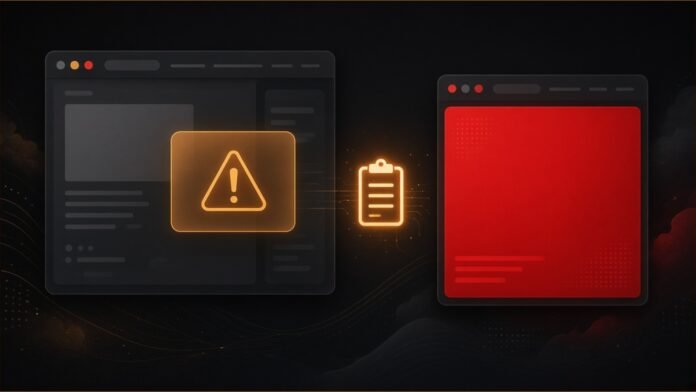
Until now, Chrome’s best-known warning has been a full red page that blocks a dangerous site. Google is adding a second, lighter level. The two tiers are:
- “Suspicious sites (lower confidence verdict, possible risk of user harm)”
- “Dangerous sites (high confidence verdict, high risk of user harm)”
Google said suspicious site warnings appear “when a page exhibits deceptive patterns commonly associated with known malicious sites”. They look different from the red warning, in “format, iconography, color, and text”. Dangerous sites will still get “the full-page red interstitial warning that users already know”.
According to The Verge, the suspicious warning appears as a pop-up over a darkened page, on desktop and mobile, with a “Mark as safe” option if the site was flagged by mistake.
Google said the softer format lets it “safely expand our coverage to display a higher volume of protective warnings”. In other words, it can warn about more sites without blocking ones it is less sure about.
| Feature | What Google says it does |
|---|---|
| Suspicious site warning | Lighter warning, lower confidence |
| Dangerous site warning | Full red page, high confidence |
| Server-side Gemini | Checks pages for scam signs |
| ClickFix detection | Checks copied commands |
How is Gemini being used?
Last year, Chrome began using an on-device version of Gemini, Google’s AI model, to spot tech support scams for Enhanced Protection users “on supported devices”. Google said that worked well enough to take further.
To cover all Enhanced Protection users and more kinds of scams, “like fake antivirus and browser update scams, we have transitioned to a more powerful server-side Gemini model,” Google wrote. Server-side means the analysis now runs on Google’s computers, not the user’s device.
The model looks at signals such as the brand a page claims to represent, what the page is trying to get the user to do, and a “scam likeliness score”. Safe Browsing then combines that with the site’s reputation and other signals to reach a final verdict, Google said.
What does Google say about privacy?
Sending page content to a server raises obvious privacy questions. Google said Chrome limits what it shares “by only analyzing page text when a site exhibits high-confidence scam indicators”.
It added: “And whenever page content is sent off the device, it is processed ephemerally – meaning it is never logged, retained or used to train models.”
These are Google’s own assurances. The post does not describe any outside check of them.
What is ClickFix, and how does Chrome catch it?
ClickFix is a scam in which a web page shows a fake problem, such as a broken page or a fake security check. It then tells the visitor to “fix” it by copying a command and running it on their own computer. That command can download and set up malware.
Google said the command that gets pasted is often “not the command shown on the page”. It usually uses built-in system tools such as PowerShell or cmd.exe. Because these tools are trusted and the download happens outside the browser, attackers “completely sidestep existing Chrome and Safe Browsing download protections”, Google said.
TSN recently reported on attackers using ClickFix lures to spread malware through a flaw in Siemens software.
Google’s answer: “Chrome now detects when an Enhanced Protection user is tricked into copying suspicious commands.” If a likely ClickFix script is copied, “the clipboard payload is scrubbed of PII and sent to Safe Browsing for further analysis”. PII means personal information. If Safe Browsing decides it is dangerous, Chrome shows a warning.
Google said the system “is designed to be high precision”, to protect users without getting in the way of developers who copy commands for genuine reasons.
Is Enhanced Protection really “ten times safer”?
Google said its added features make Enhanced Protection users “ten times safer from phishing, social engineering, notifications abuse, and other scams when compared to Safe Browsing’s Standard Protection mode”.
That is Google’s own figure, and a footnote explains how it was worked out: by “comparing the average number of safety warnings shown” to Enhanced Protection users with those shown to Standard Protection users. It counts warnings, not scams that succeeded or failed, and it has not been independently checked.
Users can switch Enhanced Protection on in Chrome’s privacy and security settings. Google’s post urges people to turn it on in both Chrome and their Google Account.
Our read
This is TSN’s analysis. The ClickFix check is the most interesting change, because it targets a trick that works by moving the attack out of the browser, where Chrome’s existing protections cannot see it. The catch is reach: all three features are limited to Enhanced Protection, and Google has not said when they will arrive or where. The trade-off for users is also clear. Better scam detection now depends on sending some page text and copied commands to Google, backed by Google’s own privacy promises.
Sources
- Google: “Our latest defenses against evolving web scams” (20 October 2026)
- The Verge: “Chrome will now show a warning before you visit ‘suspicious’ sites” (20 October 2026)
Related stories
- Google Messages Gets an “Enhanced Protection” Mode as Android Adds New Scam Safeguards on a Staggered Rollout
- Attackers Are Abusing a Siemens Software Center Flaw to Infect Windows PCs
- Google Opens Its SynthID Detector to Everyone: What It Can and Can’t Tell You
Follow @tsnmediahub on X for breaking AI news as it happens.
Follow on X